Structural Monitoring
The Structural plan is for monitoring vibration in buildings, warehouses, bridges, and other infrastructure. Instead of streaming continuously and detecting earthquakes across a network, each sensor records the shaking at its own location whenever it crosses a threshold.
How it works
- Each sensor measures all the time and keeps the last 60 seconds in memory.
- When the horizontal acceleration crosses the sensor's trigger threshold, it uploads that pre-event buffer, then keeps uploading until the shaking has stayed below the threshold for the post-event time.
- Grillo Cloud records the upload as a trigger, with its peak ground acceleration (PGA), peak ground velocity (PGV), and dominant frequency.
- If the peak reaches the project's alert level, Grillo emails your team.
Because sensors upload only when something happens, they use much less mobile data than continuous recording.
What you see in Grillo Cloud
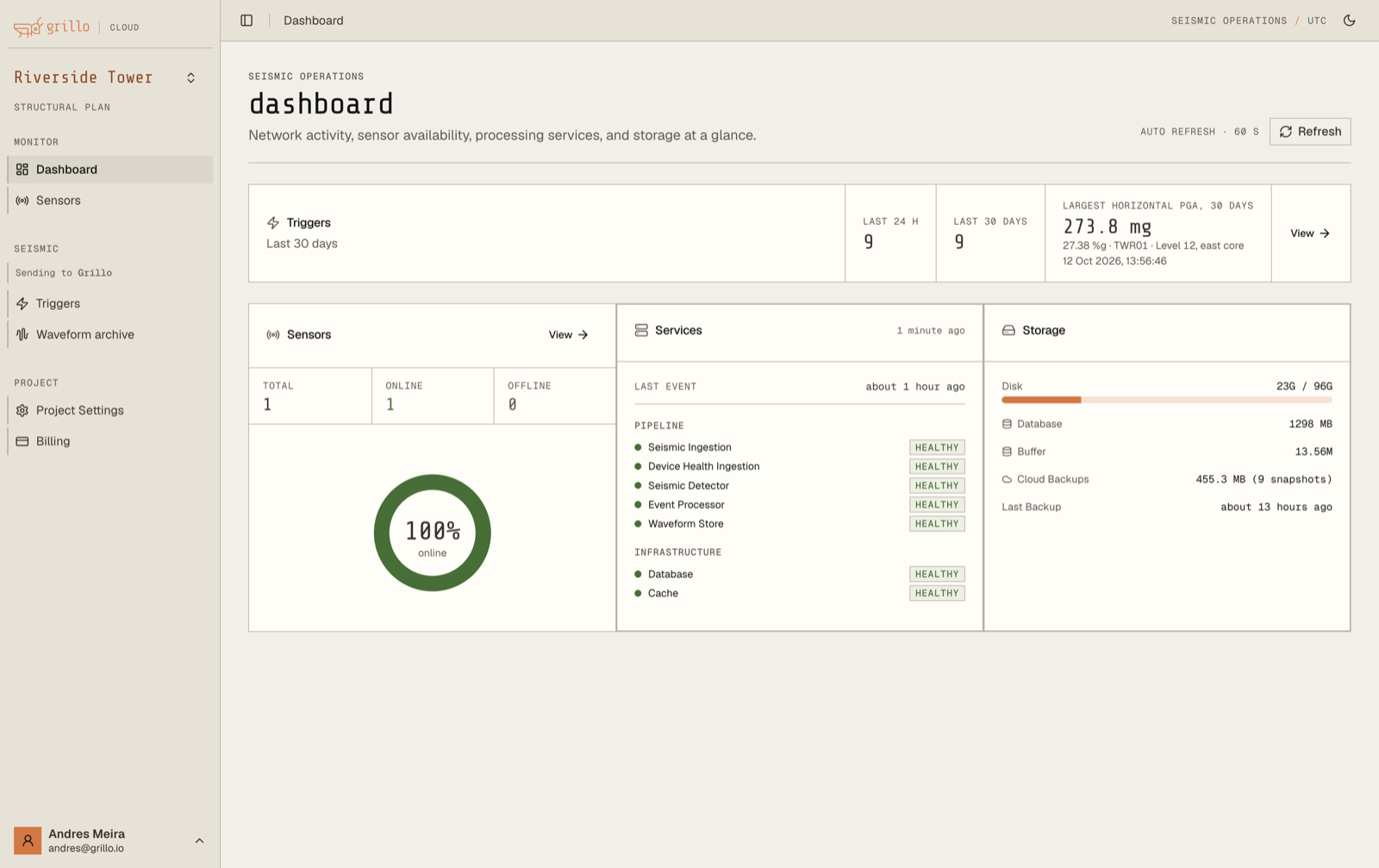
- Dashboard: a Triggers card with the number of triggers in the last 24 hours and 30 days, and the largest horizontal PGA of the last 30 days.
- Triggers in the sidebar: every trigger in the project. See Triggers.
- Sensor details: each sensor's trigger threshold and its recent triggers. See Recording Mode and Thresholds.
- Project Settings: the project's trigger defaults and trigger alerts.
Events and Live are not part of the Structural plan.
Set up a structural project
- Claim your sensors and add their locations. Give each one a location name that says where it is in the structure, such as
Level 12, east core. - Install them following the Grillo Pulse guide. Bolt the sensor to the structure, not to a fitting that can rattle.
- Check each sensor is online. Its details show Triggered and its threshold.
- Leave the default threshold of 5 mg for the first days, then adjust it for each sensor's normal vibration.
- Set an alert level and recipients in Trigger Alerts.