Event Details
Select an event in the catalog to open its details.
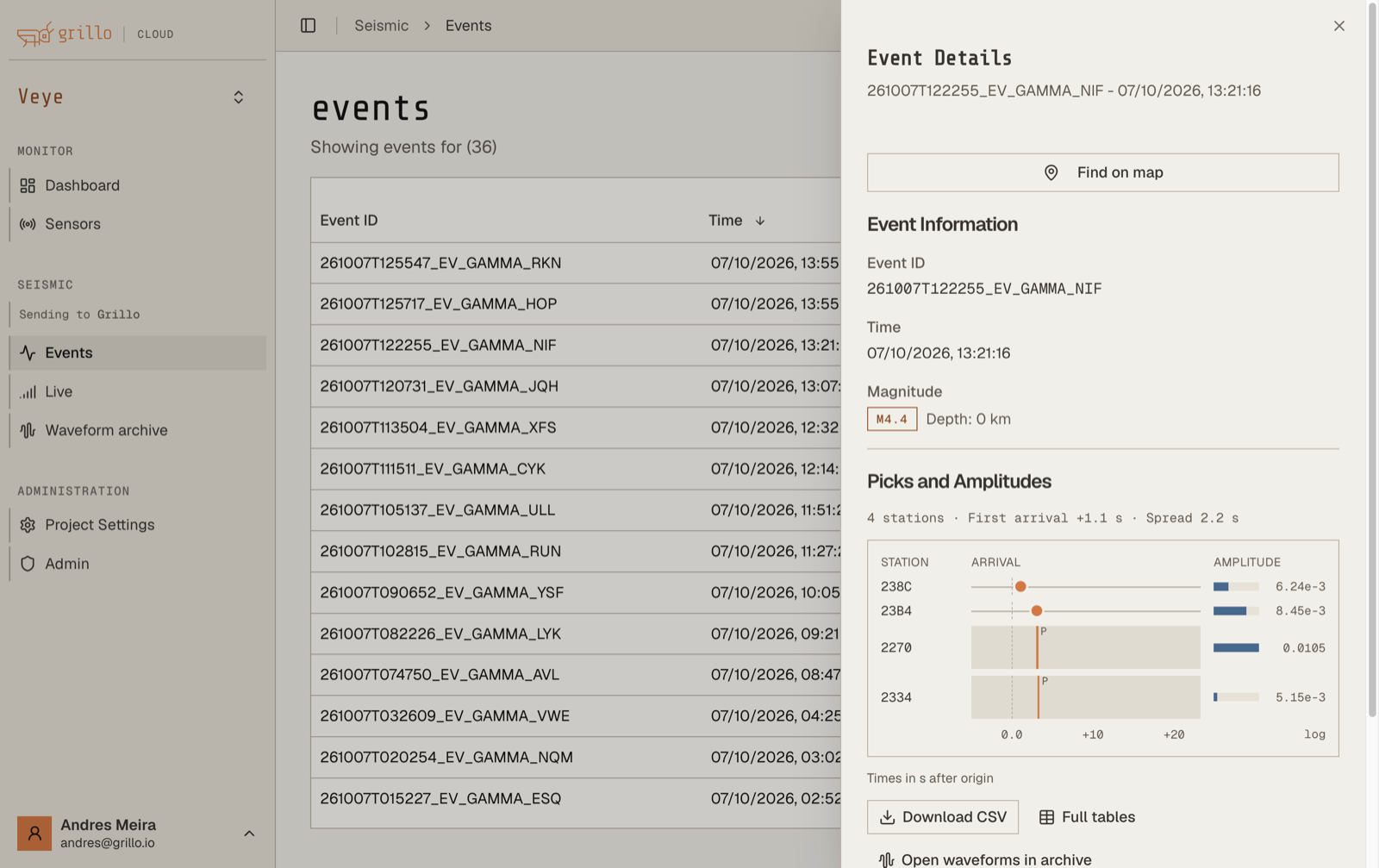
Event information
- Event ID
- Time
- Magnitude
- Depth in kilometers
- Latitude and longitude
These are automatic estimates. They can differ from a catalog reviewed by a seismic agency.
Picks and amplitudes
Picks and Amplitudes shows the observations Grillo Cloud used to build the event. A summary line gives the number of stations, the first arrival, and the spread between the first and last arrival. The chart below it shows, for each station, when the wave arrived (in seconds after the origin time) and the amplitude measured there.
Select Download CSV to save the picks and amplitudes, or Full tables to see them in detail.
Picks are the arrival times detected at each station:
- Pick ID
- Time
- Station
- Location
- Channel
- Phase
Amplitudes are the measurements used for the magnitude:
- ID and related Pick ID
- Station
- Amplitude
- Time Window End
Open the waveforms
Select Open waveforms in archive to open the recorded data around the event in the Waveform archive, with the origin time and the automatic picks marked on the traces. From there you can pan, zoom, and download the samples.
If details are empty
- Refresh the catalog and reopen the event.
- A new event can appear before all of its picks and amplitudes are available.
- If details keep failing to load, contact support with the project name, Event ID, and event time.