Event Catalog

The event catalog is a searchable database of all earthquakes detected by your network.

Accessing the catalog

  1. Navigate to your network
  2. Click "Events" in the sidebar
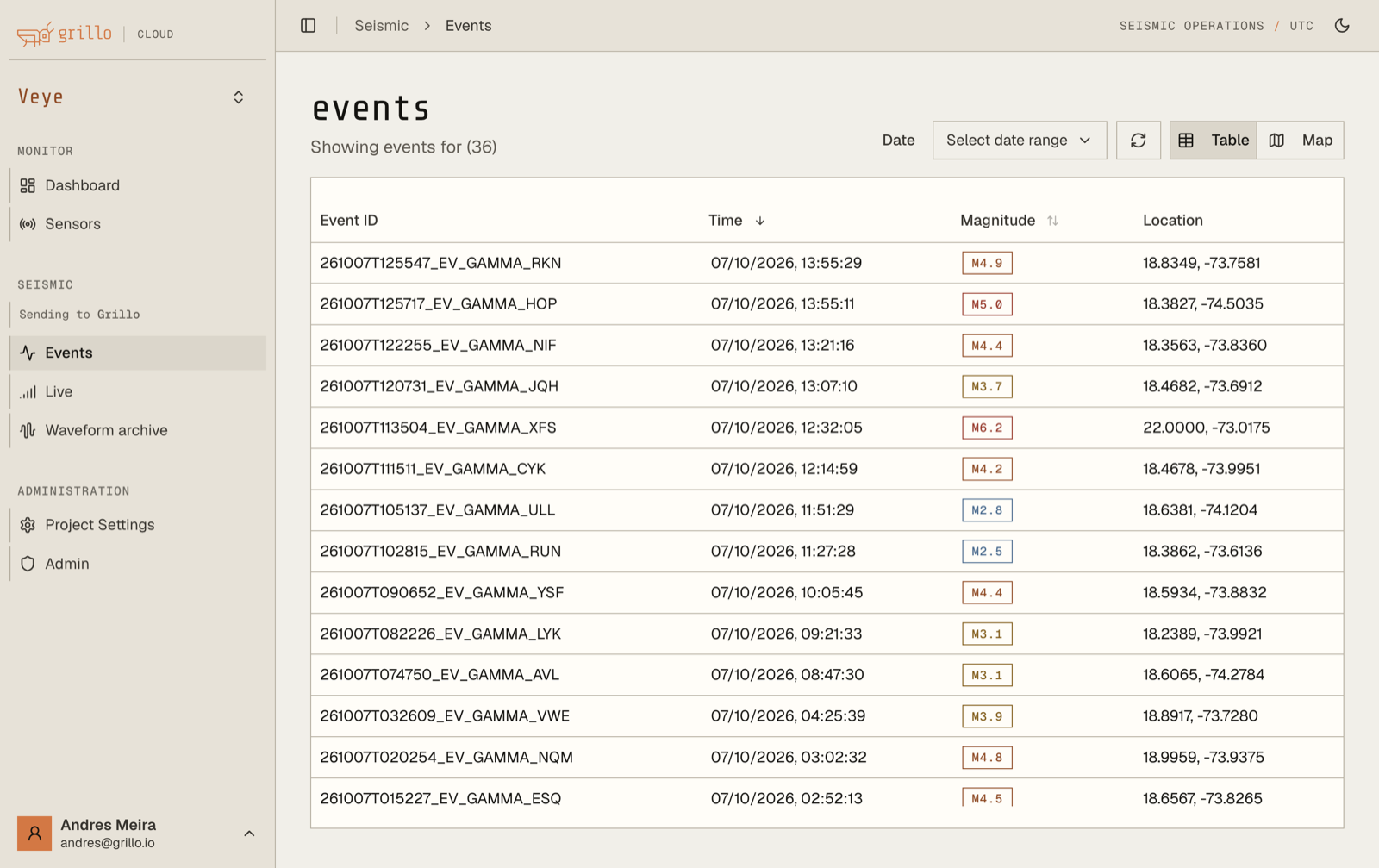
  3. The event catalog opens

Event catalog

Catalog interface

Event list

Events are displayed in a table with:

ColumnDescription
Date/TimeWhen the event occurred
MagnitudeEvent magnitude
LocationEpicenter location
DepthHypocenter depth
StatusConfirmed/Preliminary

Sorting

Click column headers to sort:

  • By date (newest/oldest)
  • By magnitude (largest/smallest)
  • By location (alphabetically)

Filtering

Filter events by:

  • Date range
  • Magnitude range
  • Location area
  • Event status

Searching events

Date range

  1. Click the date picker
  2. Select start date
  3. Select end date
  4. Apply filter

Magnitude range

  1. Set minimum magnitude
  2. Set maximum magnitude (optional)
  3. Apply filter

Geographic area

  1. Click "Map filter"
  2. Draw a rectangle or polygon
  3. Only events in the area are shown

Quick filters

Preset filters for common queries:

  • Today - Events from current day
  • This week - Last 7 days
  • This month - Last 30 days
  • M3+ - Magnitude 3 and above
  • M5+ - Magnitude 5 and above

Event details

Click an event to view details:

  • Full event parameters
  • Station data
  • Waveforms
  • Location map

Event details guide →

Event parameters

Origin information

ParameterDescription
Origin timeWhen the earthquake occurred
LatitudeEpicenter latitude
LongitudeEpicenter longitude
DepthDepth below surface
Location nameNearest geographic reference

Magnitude

ParameterDescription
Magnitude valueSize of the earthquake
Magnitude typeHow magnitude was calculated
UncertaintyMargin of error

Quality metrics

ParameterDescription
Stations usedNumber of sensors in solution
Azimuthal gapAngular coverage around event
RMSResidual fit quality
StatusAutomatic vs reviewed

Catalog statistics

View summary statistics:

  • Total events in period
  • Magnitude distribution
  • Events over time (histogram)
  • Geographic distribution

Export options

Export formats

FormatBest for
CSVSpreadsheets, general analysis
JSONProgramming, APIs
QuakeMLSeismological software
KMLGoogle Earth, mapping

Exporting data

  1. Set your filters
  2. Click "Export"
  3. Choose format
  4. Download file

Export contents

Exports include:

  • All events matching current filters
  • Full event parameters
  • Configurable columns

Automatic catalog updates

The catalog updates automatically:

  • New events appear when detected
  • Existing events update if revised
  • Real-time refresh option available

Refresh settings

OptionBehavior
Auto-refreshUpdates every N seconds
Manual refreshClick to update
NotificationsAlert on new events

Working with the catalog

Reviewing events

For quality control:

  1. Sort by most recent
  2. Review each new event
  3. Check location and magnitude
  4. Flag questionable events

Research queries

For analysis:

  1. Set date range for study period
  2. Filter to area of interest
  3. Export data
  4. Analyze externally

Reporting

For regular reports:

  1. Set up recurring filters
  2. Export at regular intervals
  3. Include in reports

Catalog retention

TierRetention
Standard1 year
Premium5 years
ArchiveAvailable on request

Integration

API access

Query the catalog programmatically:

  • RESTful API endpoints
  • Real-time event feed
  • Historical queries

API documentation →

Webhook delivery

Receive events automatically:

  • Configure webhook endpoint
  • New events pushed immediately
  • Full event data in payload