Contact Grillo Support
For help with a sensor, an account, or your data:
- Chat with us using the messenger in the bottom corner of this page. It appears after you accept cookies.
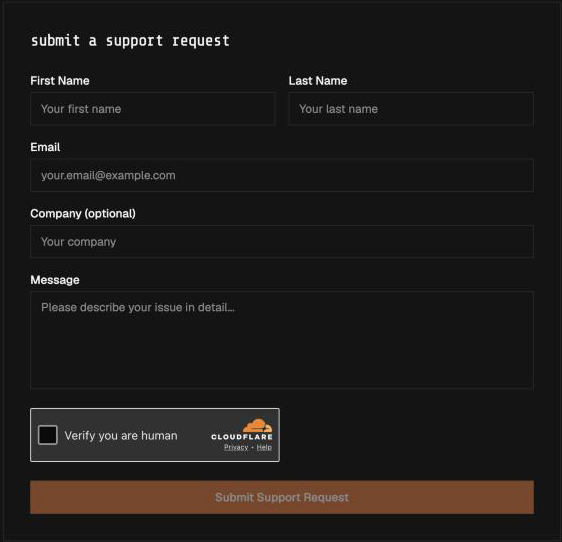
- Send a support request at grillo.io/support. Fill in your name, email, and a description, tick Verify you are human, and select Submit Support Request. Replies come to your email.
If neither works, email support@grillo.io.
Do not send passwords, API tokens, SIM PINs, or other secrets in a support request.
Ask Grillo to change your account
These are done by Grillo, not in the dashboard. Include your project name:
- Add or remove a colleague, or change their role
- Create a new project, or change a project's name or network code
- Send your seismic data to your own server, or back to Grillo
- Change your plan or contract
- Issue or revoke a Data API key
- For Slide: create a sign-in, or change what an account can do
Include with a sensor problem
All sensors
- Device ID, or the
slide-…ID on a Slide label - Project name and station code
- Status and Last Seen shown in the dashboard
- Firmware version
- What changed before the problem began
- Photographs of the label, mounting, cables, and antennas
Grillo Pulse
- Pulse Cellular or Pulse Ethernet
- For cellular: the SIM ICCID and signal strength shown in Grillo Cloud
- For Ethernet: whether the site network allows outbound UDP on ports 5683 and 5684
Grillo One
- Ethernet or Wi-Fi
- The colours of the three status lights
- The USB-C power supply you are using
Grillo Slide
- Site and sensor group name
- Whether the problem is the base or a rover
- For the base: your SIM provider and the APN you set
- The time of the last report on the dashboard
Include with a dashboard problem
- Your account email and project name
- Device ID or event ID, if relevant
- The page and the action that failed
- The exact error message
- Your browser and the approximate time
- A screenshot, with sensitive information removed
Safety
If a unit looks damaged, wet inside, unusually hot, or electrically unsafe, disconnect it only if that can be done safely, and follow the site's electrical procedure. Do not keep testing it or open a sealed enclosure without Grillo's agreement.
Grillo products and documentation do not replace instructions from emergency services or official earthquake-warning authorities.