
Earthquake alerts
On the Seismic and Enterprise plans, Grillo can alert your team when it detects an earthquake: by email, by SMS, and to your own systems or chat channels through webhooks.
Grillo decides whether an earthquake warrants an alert, from its automatic checks on the detection. Your project chooses where its alerts go, and from what magnitude.
Set up alerts
Section titled “Set up alerts”Open Project settings → Earthquake alerts. Project owners and admins can change it.
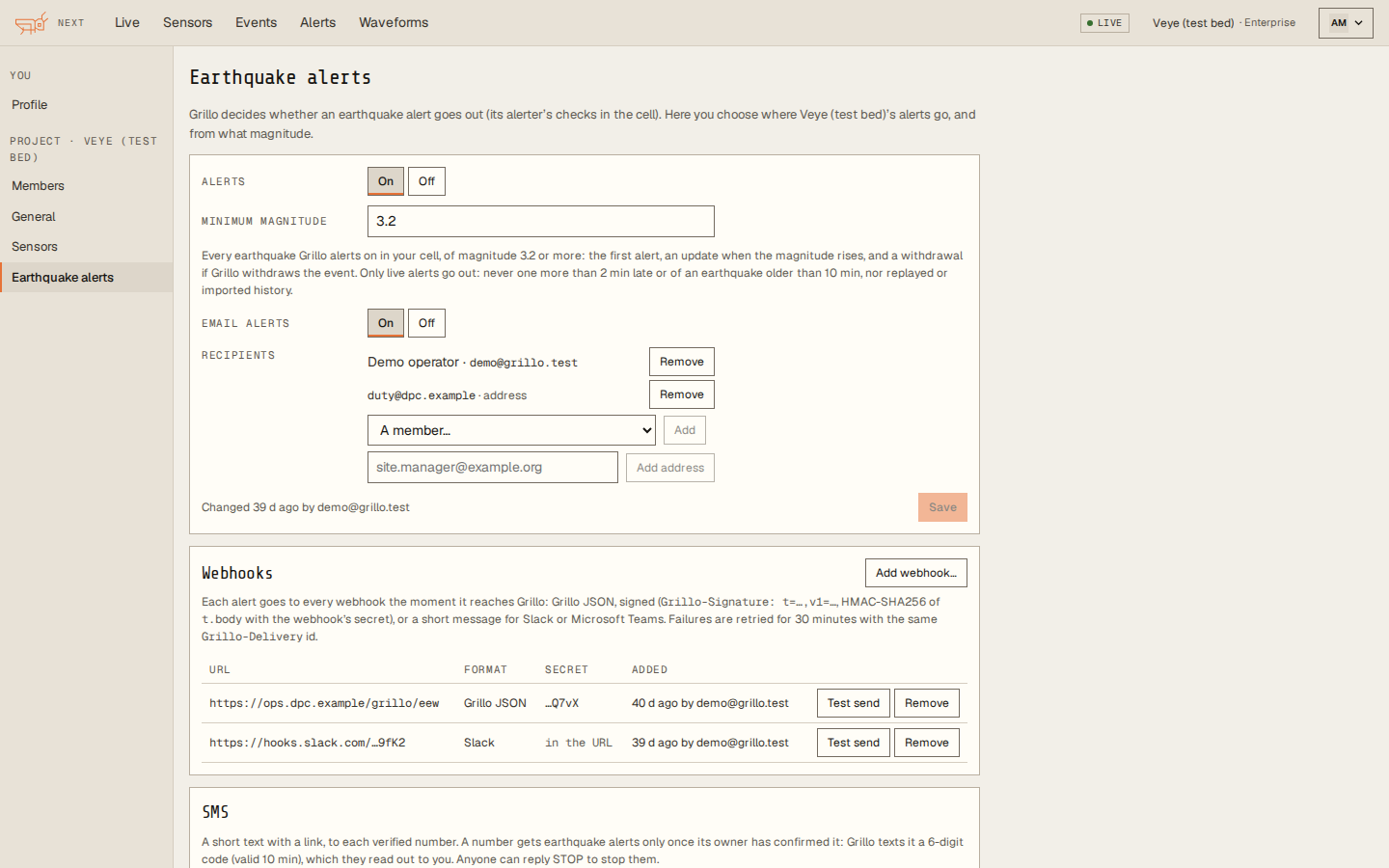
- Set Alerts to On.
- Enter the Minimum magnitude, from 0 to 9.5. The default is 3.
- Set Email alerts to On and choose the Recipients: pick members from the list and select Add, or type any address and select Add address. Up to 25 recipients; they do not need a Grillo Cloud account. With no one chosen, the project’s owners and admins get them.
- Select Save.
Then add webhooks and SMS numbers if you want them, and select Send test alert to check that everything arrives.
- Webhooks work as for trigger alerts: Grillo JSON (signed), Slack, or Microsoft Teams, up to 5, each with Test send. Each alert goes to every webhook the moment it reaches Grillo. See Webhooks and Check the signature.
- SMS works as for trigger alerts: add a number, its owner reads out the 6-digit code Grillo texts it, and you select Verify. See SMS. The monthly SMS limit is shared by earthquake and trigger alerts.
Earthquake alerts have their own recipients, webhooks, and numbers, separate from trigger alerts.
Which earthquakes alert
Section titled “Which earthquakes alert”- Enterprise: every earthquake Grillo alerts on in your network.
- Seismic: the earthquakes Grillo alerts on that one of your project’s sensors detected, or that are within 150 km of one.
In both cases, only those of your minimum magnitude or more. For each earthquake, you can get:
- Alert: the first alert, as soon as Grillo sends it.
- Update: when a later estimate raises the magnitude. It gives the previous magnitude too.
- Withdrawal: if Grillo withdraws the event, for example because it turned out not to be an earthquake.
An earthquake below your minimum is held: nothing is sent, but it shows in the alert log. If a later estimate brings it to your minimum, that becomes your alert.
Only live alerts go out: never one more than 2 minutes late, or for an earthquake more than 10 minutes old, and never for replayed or imported events.
Each alert gives the magnitude, the place, the origin time, the depth, and a link to the event in Grillo Cloud.
Send test alert
Section titled “Send test alert”Send test alert sends a made-up earthquake, marked as a test, to every webhook, every email recipient (with email on), and every verified number (with SMS on). Its deliveries show in the alert log.
Alert log
Section titled “Alert log”The Alert log at the bottom of Project settings → Earthquake alerts lists every decision for the project, newest first: each Alert, Update, Withdrawal, or Test, sent or held (below the project’s minimum magnitude), with the earthquake, each delivery and its status, and how soon the first request left after Grillo decided. Select Older to see more.
The Alerts page
Section titled “The Alerts page”Open Alerts to see every alert decision Grillo made for the earthquakes in your project, newest first. It is in the menu bar on the Seismic and Enterprise plans, and everyone in the project can open it.
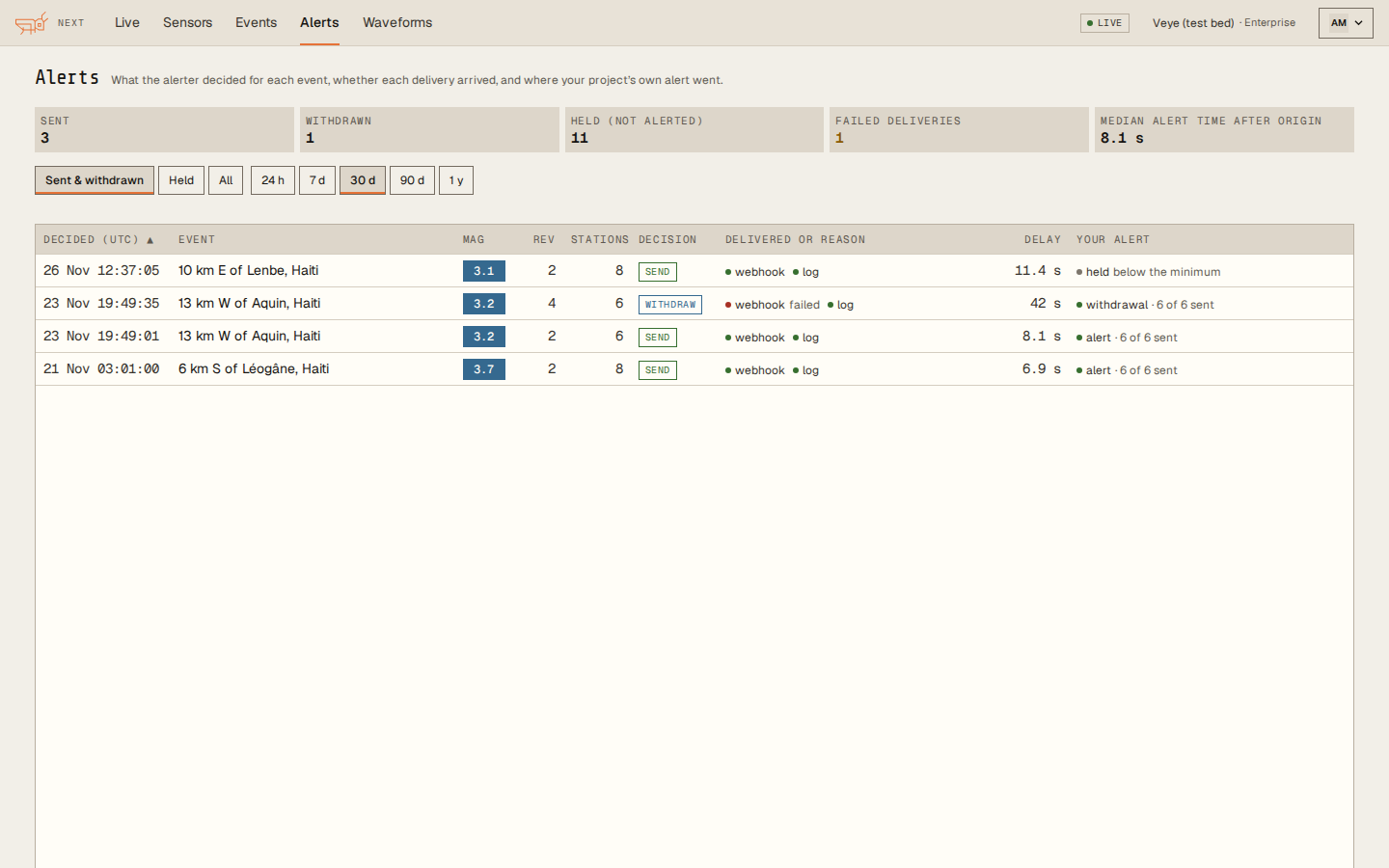
The tiles at the top count the alerts sent, withdrawn, and held (not alerted), the failed deliveries, and the median alert time after origin.
Choose what to show:
- Sent & withdrawn (the default), Held, or All
- The time range: 24 h, 7 d, 30 d (the default), 90 d, or 1 y
| Column | Meaning |
|---|---|
| Decided (UTC) | When Grillo decided |
| Event | The earthquake, linked to its details |
| Mag | Its magnitude at the time |
| Rev | Which revision of the event the decision was for |
| Stations | How many stations had detected it |
| Decision | send, withdraw, hold, or, under All, skip (nothing new to send) |
| Delivered or reason | How each of Grillo’s own deliveries went, or why the alert was held |
| Delay | Seconds from the earthquake’s origin to the decision |
| Your alert | What your project did with it: alert, update, withdrawal, or held below your minimum, and how many of its deliveries were sent |
Select a row to see its detail below the list: each delivery’s target, status, attempts, and time, and the same for your project’s own alert. Viewers see the statuses but not the targets.
On the Events page, an event an alert was sent for is marked alerted; select the mark to open its alert here.